Step-by-step, powerful video tutorials to master VPS hosting quickly.
Learning VPS hosting can sometimes feel complex, especially for beginners who are just starting with server management, virtualization, and control panels. That is why we have created a collection of easy-to-follow video tutorials to help you understand everything step by step.
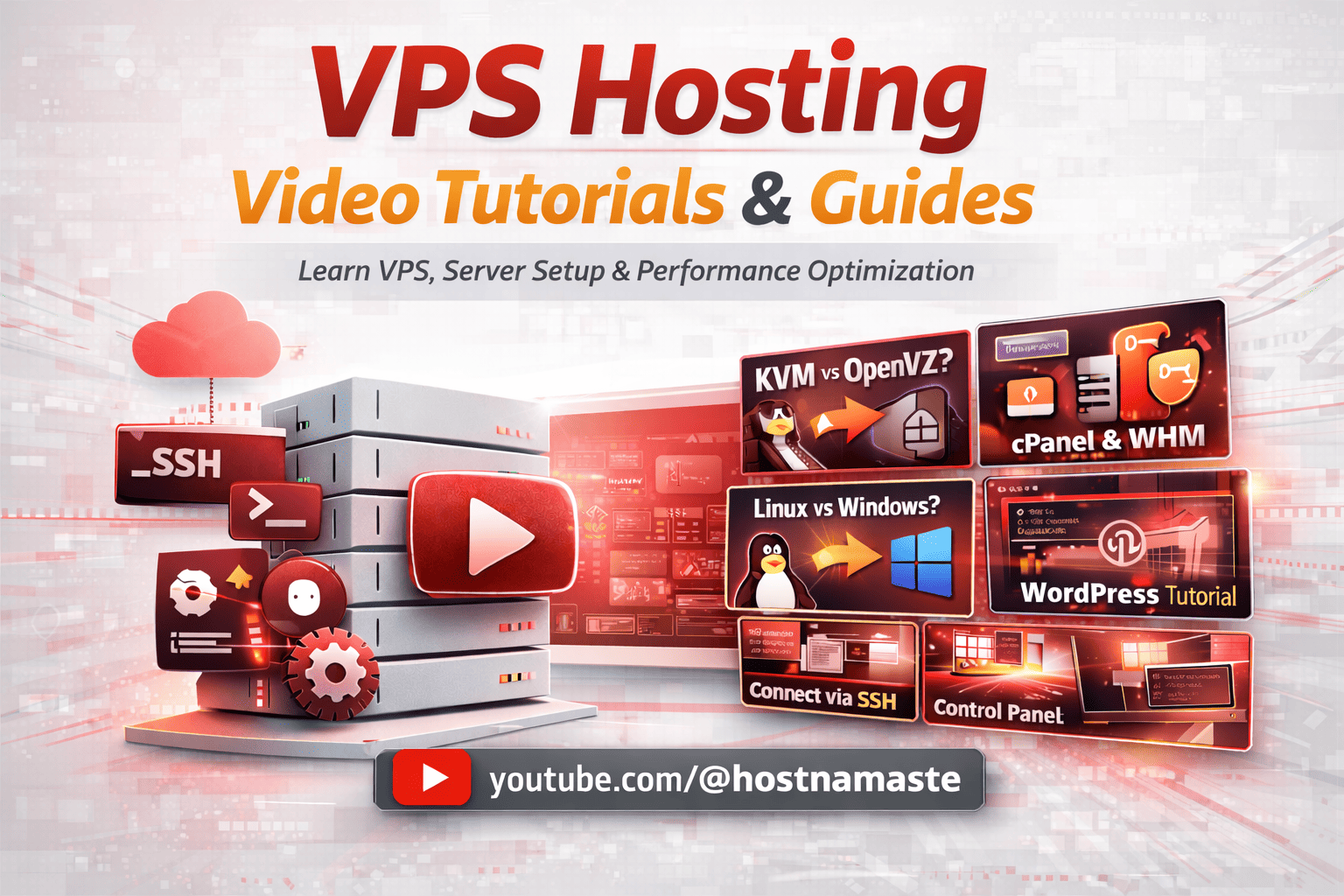
On this page, you will find a growing library of VPS hosting video tutorials covering essential topics such as server setup, operating systems, control panels, and performance optimization. Whether you are using Linux VPS, Windows VPS, or exploring advanced technologies like KVM virtualization, these videos are designed to simplify your learning process.
🎬 Watch Quick VPS Tutorials (Under 1 Minute Each) Learn faster with short, practical videos designed for beginners and professionals.
🎯 Explore 10+ VPS tutorials covering setup, performance, and server management.
Our tutorials cover a wide range of topics including:
Understanding KVM VPS and virtualization technologies
Differences between Linux VPS and Windows VPS
Managing your server using control panels like cPanel, WHM, Virtualizor, and SolusVM
Installing and managing applications like WordPress
Improving server performance, security, and stability
These powerful video tutorials are especially useful for beginners who want quick, practical guidance without going through long documentation. Each tutorial is designed to be short, clear, and actionable so you can implement what you learn immediately.
If you have recently purchased a VPS, we recommend starting with basic tutorials like connecting via SSH or Remote Desktop. Once you are comfortable, you can move on to more advanced topics such as server optimization, multiple IP configurations, and virtualization comparisons.
For users looking for reliable and high-performance hosting solutions, you can also explore our:
These resources will help you choose the right server based on your requirements, whether you are running websites, applications, or development environments.
We regularly update this page with new and improved video tutorials from our YouTube channel, ensuring you always have access to the latest VPS hosting knowledge, tools, and best practices.
💡 Whether you are a developer, business owner, or complete beginner, these VPS hosting video tutorials will help you gain confidence and take full control of your server with ease.
❓ Frequently Asked Questions (VPS Hosting)
1. What is VPS hosting?
VPS (Virtual Private Server) hosting is a type of web hosting where a physical server is divided into multiple virtual servers, each with its own dedicated resources such as CPU, RAM, and storage.
Unlike shared hosting, VPS provides better performance, stability, and control. It allows users to install their own operating system, configure software, and manage the server independently.
2. What is the difference between VPS and shared hosting?
In shared hosting, multiple users share the same server resources, which can lead to slower performance and limited control.
In VPS hosting, resources are allocated specifically to your server, ensuring better speed, reliability, and security. VPS also gives you root access, allowing full customization and flexibility.
3. How do I connect to my VPS server?
You can connect to your VPS using different methods depending on the operating system:
For Linux VPS: Use SSH clients like PuTTY or Terminal
For Windows VPS: Use Remote Desktop (RDP)
You will need your server IP address, username, and password, which are usually provided in your welcome email.
4. What is KVM VPS and why is it better?
KVM (Kernel-Based Virtual Machine) is a full virtualization technology that provides dedicated resources and complete isolation for each VPS.
Unlike container-based virtualization (like OpenVZ), KVM allows you to run your own kernel and supports both Linux and Windows operating systems. It offers better performance, stability, and security.
5. Which operating system should I choose for VPS (Linux or Windows)?
The choice depends on your requirements:
Linux VPS is cost-effective, lightweight, and ideal for websites, WordPress, and developers
Windows VPS is best for applications that require GUI, Remote Desktop, or ASP.NET
Most users prefer Linux VPS for performance and flexibility, while Windows VPS is suitable for specific software needs.
📺 Latest VPS Video Tutorials
New videos are added automatically from our YouTube channel.
🚨 Google Paid $250,000 for a 16-Year-Old Linux Bug! 😱 #Januscape #HostNamaste #kvmvps #webhosting
🚨 Google paid a $250,000 bug bounty for discovering a critical Linux ...
🚨 Google paid a $250,000 bug bounty for discovering a critical Linux KVM vulnerability that remained hidden for 16 years.
Known as CVE-2026-53359 (Januscape), this vulnerability affected the Linux KVM hypervisor ...and highlighted the importance of timely infrastructure updates.
At HostNamaste, our engineering team reviewed all affected KVM infrastructure, applied the vendor-provided kernel updates, completed maintenance, and verified the production environment.
Following the disclosure of CVE-2026-53359 (Januscape), the HostNamaste engineering team reviewed our KVM virtualization infrastructure, applied the vendor-provided Linux kernel updates across all ...affected KVM host nodes, completed the required maintenance, and verified the updated production environment.
✅ All affected KVM host nodes updated
✅ Security maintenance completed
✅ No customer action required
⚠️ Still Sharing Server Passwords in Support Tickets? #HostNamaste #WebHosting #VPSHosting #Hosting
🔒 Introducing HostNamaste Secure Access You can now securely share VPS ...
🔒 Introducing HostNamaste Secure Access
You can now securely share VPS root credentials, SSH access details, cPanel logins, Plesk credentials, DirectAdmin access information, and other sensitive server details directly within HostNamaste ...support tickets.
This feature helps improve security and makes it easier for our support team to assist you.
What is Virtualizor? Virtualizor Explained | VirtualizorVPS | HostNamaste #virtualizor #hostnamaste
What is Virtualizor and why do VPS users love it? In this ...
What is Virtualizor and why do VPS users love it?
In this beginner-friendly guide, we explain how Virtualizor helps you manage your VPS through an easy-to-use web control panel.
In this video ...you'll learn:
✔ What Virtualizor is
✔ How to reboot your VPS
✔ Reinstall Linux or Windows operating systems
✔ Create and manage backups
✔ Access your VPS console
✔ Monitor CPU, RAM, disk usage and bandwidth
✔ Manage Linux and Windows VPS servers
Whether you're new to VPS hosting or an experienced administrator, Virtualizor makes VPS management simple, fast, and reliable.
HostNamaste Now Accepts Payoneer Payments for Web Hosting #Payoneer #HostNamaste #WebHosting #vps
HostNamaste now officially accepts Payoneer payments for VPS hosting, ...
HostNamaste now officially accepts Payoneer payments for VPS hosting, dedicated servers, reseller hosting, remote desktop services, and web hosting solutions.
Customers worldwide can now securely pay using Payoneer through our professional ...WHMCS billing system.
✅ Secure Payments
✅ Global Accessibility
✅ Fast Verification
✅ Reliable Hosting Services
CVE-2026-31431: Critical Linux Kernel Vulnerability (Copy Fail) – Fix It NOW! #CVE202631431 #linux
🚨 Critical Security Alert for Linux Users! A serious Linux kernel ...
🚨 Critical Security Alert for Linux Users!
A serious Linux kernel vulnerability, CVE-2026-31431 (“Copy Fail”), is affecting servers worldwide. If you're using a VPS, dedicated server, or cloud instance, your system ...may be at risk.
In this video, we explain the issue and why you must patch your server immediately.
AI Explained Simply + How to Run AI Tools 24/7 | HostNamaste VPS Guide #AI #AIVPS #VPS #HostNamaste
AI is everywhere today — from chatbots to trading bots, automation ...
AI is everywhere today — from chatbots to trading bots, automation tools, and more.
But most people don’t know how to actually use AI in real life.
In this video, ...we explain:
✔️ What is Artificial Intelligence (AI)
✔️ How AI works (simple explanation)
✔️ Real-life use cases like Forex bots & automation
✔️ Why you need a VPS to run AI tools 24/7
💡 Important: Running AI tools on your local computer is not reliable.
That’s why professionals use VPS (Virtual Private Server).





7 Replies to “VPS Hosting Video Tutorials and Guides”