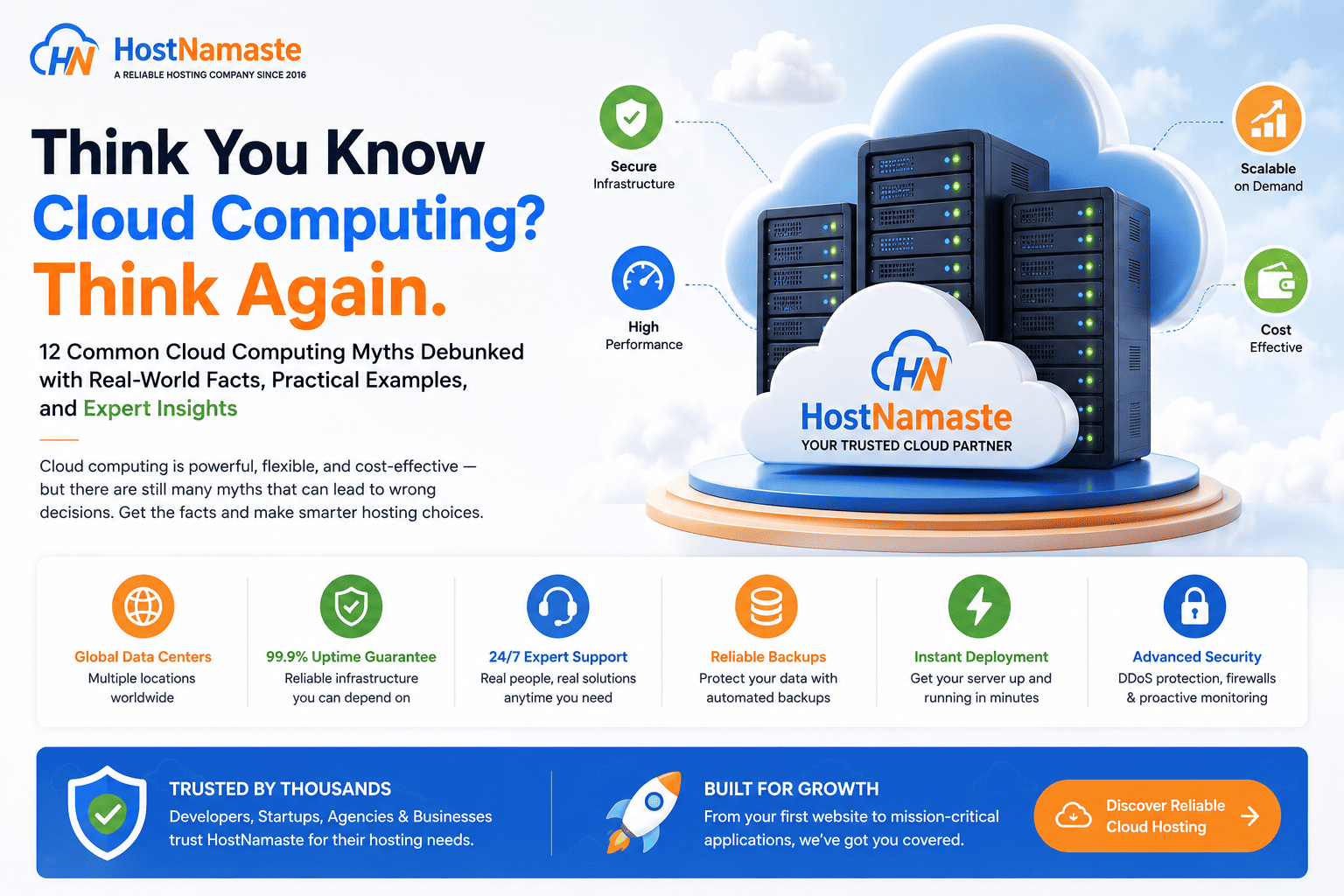
Think You Know Cloud Computing? Think Again | HostNamaste.com
💡Cloud Computing at a Glance 💡
12 Common Myths Explained
🔒 Cloud Security Best Practices
📈 Scalability & Performance Insights
💾 Backup & Disaster Recovery Tips
🖥️ Cloud VPS vs Traditional Hosting
👨💻 Beginner Friendly Guide
Cloud computing has transformed the way businesses build, deploy, and manage their applications. From startups launching their first website to global enterprises running mission-critical workloads, the cloud has become the foundation of modern IT infrastructure.
Yet despite its widespread adoption, cloud computing remains one of the most misunderstood technologies. Some people still believe it’s too expensive, while others assume it’s completely immune to downtime or automatically handles backups and security. These misconceptions often lead businesses to make poor decisions—or avoid the cloud altogether.
The truth is that cloud computing isn’t a magical solution, nor is it as complicated as some make it out to be. If you’re new to the concept, the National Institute of Standards and Technology (NIST) provides a widely recognized definition of cloud computing that’s referenced throughout the IT industry. Like any technology, it has strengths, limitations, and best practices. Understanding what the cloud can—and can’t—do is essential before choosing a hosting solution for your website, application, or business.
At HostNamaste, we’ve worked with customers across the globe since 2016, helping everyone from personal bloggers and developers to growing businesses migrate to cloud infrastructure. Along the way, we’ve heard many of the same questions and assumptions repeated over the years.
Some of these myths were understandable a decade ago, when cloud technology was still evolving. Today, however, the landscape has changed dramatically. Faster networks, enterprise-grade virtualization, NVMe storage, stronger security practices, and affordable Cloud VPS solutions have made cloud hosting more accessible than ever.
Let’s separate fact from fiction and look at some of the most common cloud computing myths that continue to circulate today.
Why Do Cloud Computing Myths Still Exist?
Cloud computing has evolved rapidly, but public perception hasn’t always kept pace. Many misconceptions are based on outdated information, early cloud platforms, or experiences with poorly managed hosting providers.
For example, someone who tried a virtual server in 2012 may assume all cloud hosting still suffers from slow storage or inconsistent performance. Others may believe that moving to the cloud automatically means losing control over their data or becoming dependent on a single provider.
In reality, today’s cloud platforms are far more mature. Enterprise-grade virtualization, high-speed NVMe storage, distributed networking, and improved security practices have addressed many of the concerns that existed years ago.
Another reason these myths persist is that the word cloud itself is often used too broadly. Public cloud, private cloud, hybrid cloud, Cloud VPS, managed cloud, and virtual dedicated servers all operate differently. Treating them as the same technology creates unnecessary confusion.
Understanding the differences is the first step toward making informed hosting decisions.
💡Quick Fact: The cloud isn’t a specific place or a single technology. It’s a way of delivering computing resources—such as servers, storage, networking, and applications—over the internet, with varying levels of scalability and management depending on the service model.
Myth #1: Cloud Computing Is Only for Large Enterprises
This is one of the oldest and most persistent misconceptions.
Years ago, adopting cloud infrastructure often required significant investment and technical expertise, making it more common among large corporations. Today, that couldn’t be further from the truth.
Cloud hosting is now used by businesses of every size, including freelancers, bloggers, online stores, software developers, agencies, educational institutions, and startups.
Many people are surprised to learn that even personal websites, small business portals, and WordPress blogs benefit from cloud infrastructure. Instead of purchasing expensive physical hardware, users can start with a modest Cloud VPS and upgrade resources whenever their traffic grows.
This flexibility is one of the cloud’s greatest advantages.
Imagine opening a retail store. You probably wouldn’t rent a massive warehouse on day one if you only need a small shop. Cloud hosting follows the same principle—you begin with the resources you need today and expand only when your business requires it.
That’s far more practical than investing heavily in infrastructure that may sit underutilized for months or even years.
At HostNamaste, we’ve seen customers launch successful projects on entry-level Cloud VPS plans before gradually scaling to larger virtual environments as their businesses expanded. The ability to grow without migrating to entirely new hardware is one of the reasons cloud hosting has become so popular.
Reality
Cloud computing is no longer exclusive to enterprise organizations. Whether you’re running a portfolio website, an online business, a development environment, or a high-traffic application, there are cloud solutions designed to match your requirements and budget.
Myth #2: Cloud Hosting Is Too Expensive
When people hear the term cloud, many immediately assume it comes with enterprise-level pricing.
Fortunately, that’s another outdated belief.
The real cost comparison isn’t between cloud hosting and a monthly hosting bill—it’s between building and maintaining your own infrastructure versus renting professionally managed cloud resources.
Consider what running your own physical server actually involves:
- Purchasing enterprise hardware
- Replacing failed components
- Maintaining networking equipment
- Paying for electricity and cooling
- Securing physical infrastructure
- Managing hardware upgrades
- Planning for redundancy and disaster recovery
Those expenses quickly add up.
Cloud hosting removes much of that operational burden. Instead of investing thousands of dollars upfront, businesses pay for the computing resources they actually use.
For smaller organizations, this dramatically lowers the barrier to entry.
Even larger businesses benefit because they can deploy additional servers within minutes instead of waiting weeks for hardware procurement, installation, and configuration.
Of course, cloud hosting isn’t always cheaper.
Poorly optimized cloud environments can become expensive if unnecessary resources remain running around the clock. Large-scale deployments also require proper monitoring and cost management to avoid unexpected bills.
The key is understanding that cloud computing offers flexibility—not unlimited savings.
Traditional Infrastructure vs Cloud Hosting
| Traditional Infrastructure | Cloud Hosting |
|---|---|
| Large upfront hardware investment | Low initial cost |
| Physical maintenance required | Provider manages hardware |
| Scaling often requires new equipment | Resources can usually be upgraded within minutes |
| Hardware replacement is your responsibility | Infrastructure maintenance handled by the provider |
| Long deployment times | Rapid provisioning |
Reality
Cloud hosting is often more cost-effective because it reduces hardware investment, simplifies scaling, and minimizes ongoing infrastructure maintenance. However, like any technology, managing resources efficiently is essential to keep costs under control.
Myth #3: Cloud Servers Are Less Secure Than Traditional Servers
Security is often one of the biggest reasons businesses hesitate before moving to the cloud. It’s understandable—after all, your data is stored on infrastructure that you don’t physically own. For some people, that immediately sounds less secure.
In reality, security isn’t determined by whether a server is located in your office or inside a cloud data center. What matters is how that infrastructure is designed, maintained, and managed.
Modern cloud providers invest heavily in security because they have to protect thousands of customers simultaneously. Enterprise-grade data centers typically include multiple layers of physical and digital protection that would be difficult and expensive for most businesses to implement on their own.
These measures often include:
- 24/7 security personnel
- Biometric or multi-factor access controls
- CCTV surveillance
- Redundant power systems
- Fire suppression systems
- DDoS protection
- Network firewalls
- Secure private networking
- Continuous infrastructure monitoring
That doesn’t mean cloud hosting is automatically secure.
One of the biggest misconceptions is believing that moving to the cloud transfers all security responsibilities to the hosting provider.
It doesn’t.
Cloud security follows what’s commonly known as the Shared Responsibility Model. While the provider is responsible for protecting the underlying infrastructure, customers are responsible for securing what they install and manage inside their own virtual servers.
For example, if a server is compromised because of a weak password, outdated software, or an insecure WordPress plugin, the problem isn’t the cloud itself—it’s the server configuration. Following established application security practices, such as the OWASP Top 10, can significantly reduce common web application security risks regardless of where your applications are hosted.
Think of it like renting an apartment in a highly secure building. The property owner provides security guards, surveillance cameras, and controlled entry to the building. However, you’re still responsible for locking your apartment door and protecting your personal belongings.
Cloud hosting works in much the same way.
What Customers Should Still Do
Even with a reliable cloud provider, it’s important to follow basic security practices:
- Use strong, unique passwords.
- Enable multi-factor authentication wherever possible.
- Keep the operating systems and applications updated.
- Remove software you no longer use.
- Restrict SSH or RDP access to trusted IP addresses.
- Regularly review firewall rules.
- Monitor login attempts and server activity.
- Schedule routine backups.
A secure cloud environment is the result of both a reliable infrastructure and responsible server management.
💡Quick Fact: According to industry security reports, many cloud-related breaches are caused by misconfigured services, weak credentials, or outdated software—not by flaws in the cloud infrastructure itself.
Reality
Cloud servers are not inherently less secure than traditional servers. In many cases, they’re more secure, thanks to enterprise-grade infrastructure, advanced monitoring, and continuous security improvements. However, customers must still protect their own applications, user accounts, and server configurations.
💡 Did You Know?
Many people think cloud computing is a place. In reality, it’s a method of delivering computing resources over the internet using virtualization and distributed infrastructure.
Myth #4: Cloud Services Never Experience Downtime
This myth usually comes from marketing slogans promising “99.99% uptime” or “always available” infrastructure.
While cloud platforms are designed for high availability, no technology can guarantee that services will never experience interruptions.
Even some of the world’s largest cloud providers have faced outages caused by networking issues, software bugs, power events, hardware failures, or configuration mistakes. These incidents are relatively rare, but they remind us that no infrastructure is completely immune to problems.
The advantage of cloud computing isn’t that downtime is impossible—it’s that cloud environments are designed to reduce the impact of failures and recover much more quickly.
For example, if a physical server develops a hardware fault, workloads can often be migrated or restored faster than they could in a traditional on-premises environment. Redundant networking, replicated storage, and modern virtualization technologies all contribute to improved resilience.
However, resilience doesn’t replace preparation.
Businesses should still have a plan for unexpected disruptions.
Good Practices for Higher Availability
To minimize the impact of downtime, consider:
- Maintaining regular off-site backups.
- Monitoring server health and performance.
- Using redundant DNS providers where appropriate.
- Testing disaster recovery procedures periodically.
- Keeping software updated to reduce unexpected failures.
- Choosing a provider with a proven uptime record and transparent infrastructure.
For mission-critical applications, some organizations even deploy services across multiple regions or data centers to reduce dependency on a single location.
Although this level of redundancy isn’t necessary for every website, understanding your uptime requirements helps you choose the right hosting strategy.
Understanding Uptime Guarantees
You’ll often see providers advertise uptime figures such as 99.9% or 99.99%.
While these percentages sound similar, they represent very different amounts of allowable downtime over the course of a year.
| Uptime | Approximate Downtime Per Year |
|---|---|
| 99% | About 3.65 days |
| 99.9% | About 8.8 hours |
| 99.95% | About 4.4 hours |
| 99.99% | About 52 minutes |
These numbers highlight why infrastructure design, proactive monitoring, and responsive support matter just as much as the advertised uptime percentage.
Reality
Cloud computing significantly improves availability compared to many traditional hosting environments, but it doesn’t eliminate the possibility of downtime. The goal is resilience, faster recovery, and minimizing disruptions—not promising the impossible.
💡HostNamaste Insight
At HostNamaste, we continuously monitor our cloud infrastructure, perform regular maintenance, and proactively apply security updates to help deliver a stable hosting environment. While no provider can honestly promise zero downtime forever, our focus is on preventing issues where possible and responding quickly whenever maintenance or unexpected events occur.
Myth #5: Cloud Hosting Automatically Backs Up Your Data
This is one of the most expensive misconceptions a business can have.
Many people assume that because their website or application is running in the cloud, their data is automatically protected against accidental deletion, hardware failure, ransomware, or human error.
Unfortunately, that’s not always the case.
Cloud hosting provides the infrastructure to run your workloads, but unless backups are specifically included and configured, your data may only exist in one place.
Imagine spending months building an eCommerce website. One day, an incorrect command deletes important files, a software update goes wrong, or a database becomes corrupted. If no recent backup exists, recovering that data can be extremely difficult—or impossible.
Cloud infrastructure improves availability, but it doesn’t replace a proper backup strategy.
Understanding the Difference
It’s important to distinguish between these terms:
- High Availability keeps your services running if a component fails.
- Snapshots capture the state of a virtual machine at a specific moment.
- Backups create recoverable copies of your data for disaster recovery.
Although they work together, they are not the same thing.
For example, a VPS snapshot taken before a major operating system upgrade can be useful if the upgrade fails. However, relying only on snapshots for long-term protection isn’t recommended. Dedicated backups stored separately provide a much stronger safety net.
Follow the 3-2-1 Backup Rule
A widely accepted best practice is the 3-2-1 Backup Rule:
- Keep 3 copies of your important data.
- Store them on 2 different types of storage.
- Keep 1 copy off-site.
This approach helps protect against hardware failures, accidental deletions, malware, and even data center incidents.
For websites, a practical backup routine might include:
- Daily automated backups
- Weekly full server backups
- Off-site backup storage
- Regular backup verification and restore testing
Remember, a backup that has never been tested is simply a backup you hope works.
💡Quick Fact: One of the biggest mistakes businesses make isn’t failing to create backups—it’s discovering during an emergency that their backups are incomplete or cannot be restored.
Reality
Cloud hosting doesn’t automatically guarantee backups. Before assuming your data is protected, always check what your hosting plan includes, how often backups are created, how long they’re retained, and whether you can restore them when needed.
Myth #6: Cloud Servers Are Slower Than Dedicated Servers
Performance comparisons between cloud servers and dedicated servers often spark debate, but the answer isn’t as straightforward as many people think.
A common assumption is that because a cloud server is virtualized, it must always be slower than a physical dedicated server.
In reality, performance depends on much more than whether the server is virtual or physical.
Modern virtualization technologies—especially KVM (Kernel-based Virtual Machine)—deliver near-native performance for many workloads. Combined with today’s enterprise hardware, fast processors, NVMe storage, and high-speed networking, a well-configured Cloud VPS can provide outstanding performance.
On the other hand, an older dedicated server with outdated hardware, slower disks, or limited memory may perform significantly worse than a modern cloud instance.
What Actually Affects Performance?
Several factors have a much greater impact on performance than virtualization itself:
- CPU generation and clock speed
- NVMe SSD vs. SATA storage
- RAM availability
- Network quality and bandwidth
- Resource allocation
- Virtualization technology
- Storage architecture
- Server optimization
This is why comparing “Cloud VPS” and “Dedicated Server” without looking at the underlying hardware can be misleading.
Dedicated Servers Still Have Their Place
Dedicated servers continue to be an excellent choice for certain workloads, including:
- Large databases
- High-frequency computing
- GPU-intensive applications
- Heavy virtualization
- Extremely high and consistent resource usage
- Compliance or licensing requirements
For these use cases, having exclusive access to all hardware resources can provide advantages.
However, for most websites, business applications, development environments, and growing online stores, modern Cloud VPS solutions offer an excellent balance of performance, flexibility, and scalability.
A Better Question to Ask
Instead of asking:
“Is a cloud server faster than a dedicated server?”
Ask:
“Which solution is better suited for my workload?”
That question leads to a much more useful answer.
Cloud VPS vs Dedicated Server
| Feature | Cloud VPS | Dedicated Server |
|---|---|---|
| Scalability | Excellent | Limited by installed hardware |
| Deployment | Usually within minutes | Can take longer depending on provisioning |
| Hardware Resources | Virtualized | Entire physical server |
| Cost | Lower entry cost | Higher initial and monthly cost |
| Flexibility | Very High | Moderate |
| Best For | Most websites, applications, startups, and growing businesses | Resource-intensive or specialized workloads |
Reality
Cloud servers are not inherently slower than dedicated servers. Thanks to modern virtualization, enterprise processors, and NVMe storage, many Cloud VPS platforms deliver excellent performance. The right choice depends on your workload, performance requirements, and future growth plans—not simply whether the server is virtual or physical.
💡HostNamaste Insight
At HostNamaste, we offer both Cloud VPS and Virtual Dedicated Servers (VDS) because different workloads have different requirements. Rather than recommending the same solution for everyone, we encourage customers to choose the hosting platform that best matches their performance needs, expected growth, and budget.
Myth #7: Every Cloud Server Comes Fully Managed
One of the most common misunderstandings in the hosting industry has nothing to do with hardware or performance—it’s about support.
Many people believe that once they purchase a cloud server, the hosting provider will automatically manage everything for them. That includes software updates, security hardening, troubleshooting, performance tuning, backups, and even application configuration.
In reality, that’s not how most cloud hosting services work.
The term cloud describes the infrastructure, not the level of management. A cloud server can be fully managed, partially managed, or completely self-managed depending on the hosting plan you’ve chosen.
Understanding this difference before placing an order can save you a lot of confusion later.
Self-Managed Cloud Servers
With a self-managed cloud server, the hosting provider is generally responsible for keeping the physical infrastructure running.
That typically includes:
- Power and cooling
- Network connectivity
- Physical hardware
- Virtualization platform
- Host node maintenance
Everything inside your virtual server is your responsibility.
That means you’ll usually handle tasks such as:
- Installing the operating system (if not pre-installed)
- Configuring web servers like Apache or Nginx
- Installing PHP, MySQL, or other software
- Creating backups
- Applying security updates
- Monitoring server performance
- Troubleshooting application issues
Self-managed hosting offers maximum flexibility and is often preferred by developers, system administrators, and businesses with in-house technical teams.
Managed Cloud Hosting
Managed hosting shifts much of the day-to-day server administration to the hosting provider.
Depending on the service, this may include:
- Operating system updates
- Security patching
- Performance optimization
- Server monitoring
- Technical assistance
- Backup management
- Initial server setup
Some providers even offer application-level support for platforms like WordPress, cPanel, or Plesk.
However, the exact scope of management varies between companies, so it’s always worth reviewing what’s included before purchasing a plan.
Which Option Is Right for You?
There’s no universal answer.
If you enjoy managing servers or already have Linux administration experience, a self-managed Cloud VPS can be a cost-effective choice.
If you’d rather focus on running your business while someone else handles server maintenance, managed cloud hosting is often well worth the additional investment.
The important thing is choosing the service that matches your technical skills—not simply selecting the lowest-priced plan.
💡Quick Tip: Before ordering any cloud server, check whether the plan includes operating system updates, proactive monitoring, backup management, security hardening, and application support. “Managed” can mean different things depending on the provider.
Reality
Cloud hosting isn’t automatically managed. Always understand the level of support included with your hosting plan so your expectations match the services being provided.
Myth #8: Migrating to the Cloud Is Too Difficult
Years ago, moving a website or application to a new server often involved lengthy downtime, manual configuration, and plenty of stress.
Fortunately, things have changed.
Today, many migrations are far more straightforward than people expect.
Whether you’re moving from shared hosting to a Cloud VPS or upgrading from an older virtual server, modern migration tools and experienced hosting providers have made the process significantly easier.
In many cases, websites can be migrated with little or no noticeable downtime.
What Does a Typical Migration Involve?
Although every project is different, a standard website migration usually includes:
- Preparing the new server.
- Copying website files and databases.
- Recreating email accounts if necessary.
- Updating DNS records.
- Testing the website thoroughly.
- Switching traffic to the new server.
For websites using control panels such as cPanel or Plesk, migration utilities can automate much of this work.
WordPress websites can often be transferred using dedicated migration plugins, while custom applications may require a more tailored approach.
Planning Makes All the Difference
The biggest migration problems usually occur when planning is overlooked.
Before migrating, it’s a good idea to:
- Take a complete backup.
- Lower DNS TTL values in advance.
- Test the website on the new server.
- Document important settings.
- Schedule the migration during off-peak hours.
- Verify email functionality after the move.
A little preparation goes a long way toward ensuring a smooth transition.
Why Businesses Move to the Cloud
Organizations choose to migrate for many reasons, including:
- Better performance
- Greater scalability
- Improved reliability
- Easier resource upgrades
- Enhanced security
- Modern virtualization technologies
- Better cost efficiency
For growing businesses, cloud hosting often provides the flexibility needed without investing in expensive physical hardware.
Don’t Rush the Process
While many migrations are straightforward, it’s important not to rush.
Complex environments involving multiple servers, custom software, or mission-critical applications should always be planned carefully and tested before going live.
The goal isn’t simply to move faster—it’s to move safely.
Reality
Migrating to the cloud doesn’t have to be complicated. With proper planning, reliable backups, and assistance from an experienced hosting provider, most websites and applications can be transferred smoothly with minimal disruption.
💡HostNamaste Insight
Over the years, we’ve helped customers migrate websites, VPS environments, and business applications from a variety of hosting platforms. Every migration is different, but careful planning, thorough testing, and clear communication consistently make the biggest difference in achieving a smooth transition.
Quick Checklist: Before Moving to the Cloud
✔ Review your current resource usage.
✔ Create and verify a full backup.
✔ Choose the right cloud plan for future growth.
✔ Test your applications on the new server.
✔ Update DNS only after confirming everything works correctly.
✔ Monitor performance closely during the first few days after migration.
Myth #9: All Cloud Providers Offer the Same Services and Performance
At first glance, cloud hosting plans can look remarkably similar.
Two providers might advertise the same amount of CPU cores, RAM, storage, and bandwidth. On paper, they appear identical. In practice, however, the experience can be very different.
Cloud hosting isn’t a commodity where every provider delivers the same level of performance, reliability, or support.
Behind every cloud platform are countless decisions about hardware, networking, virtualization, storage architecture, monitoring, and customer service. These factors directly affect the quality of your hosting experience.
What Makes One Cloud Provider Different From Another?
Several factors can influence performance and reliability, including:
- Processor generation and architecture
- NVMe SSD versus SATA storage
- Network capacity and routing quality
- Virtualization technology
- Infrastructure redundancy
- Data center standards
- Security practices
- Backup options
- Technical support quality
- Uptime history
For example, two Cloud VPS plans may both include 4 GB RAM and 2 vCPUs, but one may run on newer enterprise processors with NVMe storage while another uses older hardware with slower disks.
The specifications might look the same, but the real-world performance can vary significantly.
Support Is Just as Important
Hardware is only part of the equation.
When something goes wrong, responsive technical support becomes invaluable.
Whether it’s helping troubleshoot a networking issue, answering configuration questions, or providing timely updates during maintenance, experienced support teams can make a significant difference.
This is particularly important for businesses that rely on their websites or applications every day.
Choosing a Provider Wisely
Instead of comparing price alone, consider asking questions such as:
- How long has the company been operating?
- What virtualization technology is used?
- Are backups available?
- Is DDoS protection included?
- How responsive is technical support?
- Are infrastructure upgrades performed regularly?
- Does the provider clearly communicate maintenance and incidents?
A little research before purchasing can save a great deal of frustration later.
Reality
Not all cloud providers are the same. Similar-looking plans can deliver very different results depending on the quality of the infrastructure, network, support, and operational practices behind them.
Myth #10: Cloud Automatically Scales Everything
Scalability is one of cloud computing’s greatest strengths, but it’s also one of its most misunderstood features.
Many people assume that as soon as website traffic increases, the cloud will automatically allocate more CPU, RAM, or storage without any configuration.
In reality, automatic scaling doesn’t simply happen on its own.
Cloud infrastructure makes scaling possible, but the scaling process often needs to be planned, configured, and monitored.
Vertical vs. Horizontal Scaling
There are two common ways to scale cloud resources.
Vertical Scaling
This involves increasing the resources of an existing server, such as:
- More RAM
- Additional CPU cores
- Larger storage capacity
Vertical scaling is often the simplest option for growing websites and applications.
Horizontal Scaling
Instead of making one server larger, horizontal scaling distributes workloads across multiple servers.
Examples include:
- Load-balanced web servers
- Multiple application servers
- Database clusters
- Container orchestration platforms
This approach is commonly used by larger applications requiring high availability and improved fault tolerance.
Planning Still Matters
Even in cloud environments, businesses should monitor:
- CPU usage
- Memory consumption
- Storage capacity
- Network traffic
- Database performance
Scaling decisions based on real performance data are far more effective than waiting for a server to become overloaded.
Reality
Cloud computing provides excellent scalability, but automatic scaling is a feature that usually requires planning and configuration. Simply moving to the cloud doesn’t guarantee resources will expand automatically when traffic increases.
Myth #11: Once You Move to the Cloud, You’re Locked In Forever
Vendor lock-in is a topic that often concerns businesses considering cloud migration.
The fear is understandable.
No organization wants to feel trapped with a single provider forever.
Fortunately, cloud migration works very differently today than many people assume.
Most modern operating systems, applications, and virtualization platforms support migration between different hosting environments with proper planning.
Can You Change Providers?
In many cases, yes.
Businesses regularly migrate between hosting providers for reasons such as:
- Better pricing
- Improved performance
- Additional locations
- Enhanced support
- Business growth
- Infrastructure upgrades
The ease of migration depends on factors such as:
- Control panel compatibility
- Application architecture
- Database size
- Storage requirements
- Licensing
- DNS planning
While migration requires preparation, it is certainly possible.
Reducing Vendor Lock-In
Businesses can make future migrations easier by:
- Keeping regular backups.
- Documenting server configurations.
- Using widely supported software.
- Avoiding unnecessary proprietary technologies where practical.
- Testing recovery procedures periodically.
Planning for flexibility today makes future changes much simpler.
Reality
Moving to the cloud doesn’t mean you’re permanently tied to one provider. With good planning, backups, and standard technologies, migrating between providers is entirely achievable for most workloads.
Myth #12: Cloud Computing Eliminates the Need for IT Expertise
Cloud computing has simplified many aspects of infrastructure management, but it hasn’t removed the need for technical knowledge altogether.
Some routine tasks have become much easier.
Provisioning a new server, increasing storage, or deploying additional resources can often be completed in minutes rather than days.
However, successful cloud environments still require good operational practices.
Cloud Doesn’t Replace Good Administration
Servers still need:
- Operating system updates
- Security monitoring
- Application maintenance
- Backup verification
- Performance optimization
- Capacity planning
- User management
- Incident response
Ignoring these responsibilities simply because the server runs in the cloud can lead to avoidable problems.
Technology Is Only Part of the Solution
Even the best infrastructure cannot compensate for:
- Weak passwords
- Outdated software
- Poor security practices
- Lack of monitoring
- Missing backups
- Misconfigured applications
Cloud computing gives businesses powerful tools, but using those tools effectively still requires knowledge, planning, and ongoing maintenance.
Reality
Cloud computing makes infrastructure management easier and more flexible, but it doesn’t eliminate the need for responsible system administration. Whether managed by your own team or by your hosting provider, good operational practices remain essential.
📌 Key Takeaways
If there’s one lesson to take away from these myths, it’s this:
Cloud computing isn’t about magic—it’s about flexibility, reliability, and smarter infrastructure.
Many misconceptions come from outdated information or unrealistic expectations. The cloud can help businesses reduce costs, improve scalability, and deploy applications faster, but success still depends on choosing the right provider, understanding your responsibilities, and planning for growth.
Instead of asking, “Is the cloud perfect?”, ask:
“Is this the right cloud solution for my business?”
That’s the question that leads to better decisions.
💡HostNamaste Insight
Since 2016, we’ve worked with customers ranging from personal website owners to growing businesses, and one thing has remained consistent: the best hosting decisions are made when expectations are realistic and informed. Cloud computing offers tremendous advantages, but understanding how it works is just as important as choosing the right plan.
How to Choose the Right Cloud Hosting Provider
By now, we’ve cleared up some of the biggest misconceptions surrounding cloud computing. The next step is choosing a provider that matches your technical requirements, budget, and long-term goals.
Price is important, but it shouldn’t be the only deciding factor. A low-cost plan can quickly become expensive if it suffers from poor performance, unreliable support, or frequent downtime.
Here are a few things worth considering before making your decision.
1. Look Beyond the Hardware Specifications
CPU cores, RAM, and storage capacity only tell part of the story.
Ask about:
- Processor generation
- NVMe or SSD storage
- Network speed
- Virtualization technology
- Infrastructure redundancy
Modern hardware and a well-designed network often have a bigger impact on performance than raw specifications alone.
2. Understand What’s Included
Not every cloud plan includes the same services.
Before ordering, check whether your plan includes:
- Backups
- DDoS protection
- IPv6 support
- Monitoring
- Snapshots
- Control panel options
- Technical support
Knowing exactly what you’re paying for helps avoid surprises later.
3. Choose a Provider That Can Grow With You
Your hosting requirements today may be very different a year from now.
Look for providers that make it easy to:
- Upgrade CPU and RAM
- Increase storage
- Add IPv4 or IPv6 addresses
- Expand to multiple locations
- Migrate between plans
Scalability should be straightforward—not something that requires rebuilding your entire infrastructure.
4. Read Real Customer Reviews
Marketing pages always highlight the positives.
Independent customer reviews, community discussions, and long-term customer experiences often provide a more balanced picture of reliability, support quality, and overall satisfaction.
Look for consistent feedback rather than focusing on a single positive or negative review.
5. Evaluate Technical Support
Even experienced administrators occasionally need assistance.
Before choosing a provider, consider:
- Support availability
- Average response times
- Technical expertise
- Documentation quality
- Knowledge base resources
Responsive support can save valuable time when unexpected issues arise.
Cloud Hosting Buyer’s Checklist
Before purchasing a Cloud VPS or cloud server, ask yourself:
✔ Does the provider use modern enterprise hardware?
✔ Is NVMe SSD storage available?
✔ Are backups offered or can they be configured easily?
✔ Is DDoS protection included?
✔ Are data center locations suitable for your audience?
✔ Is technical support available when you need it?
✔ Can the server be upgraded without complex migrations?
✔ Is the pricing transparent?
✔ Does the provider have a good reputation?
✔ Are uptime commitments clearly documented?
If you answered “yes” to most of these questions, you’re already on the right track.
Frequently Asked Questions (FAQs)
What exactly is cloud computing?
Cloud computing is the delivery of computing resources such as virtual servers, storage, networking, and software over the internet. Instead of purchasing and maintaining physical hardware, businesses can access these resources on demand.
Is cloud hosting suitable for small businesses?
Yes. Modern cloud hosting is designed for businesses of all sizes. Small websites, online stores, developers, and startups often benefit from its flexibility and scalability.
Is cloud hosting more secure than traditional hosting?
Cloud hosting can be highly secure when combined with proper server management, strong authentication, regular software updates, and reliable backup practices. Security depends on both the provider and the customer.
What’s the difference between a VPS and Cloud VPS?
A traditional VPS typically runs on a single physical server, while a Cloud VPS is built on cloud infrastructure designed to offer greater flexibility, easier scalability, and improved resilience. The exact implementation can vary depending on the hosting provider.
Do I still need backups if I’m using cloud hosting?
Absolutely. Cloud infrastructure improves availability, but it doesn’t replace a proper backup strategy. Regular backups remain one of the most important parts of protecting your data.
Can I upgrade my cloud server later?
In most cases, yes. One of the biggest advantages of cloud hosting is the ability to increase resources as your website or application grows.
For many workloads, yes. Since cloud resources are allocated specifically to your virtual server, performance is often more consistent than traditional shared hosting environments.
Can I migrate my existing website to the cloud?
Yes. Most websites can be migrated successfully with careful planning, proper backups, and assistance from your hosting provider if required.
Is cloud hosting only for Linux?
No. Many cloud platforms support both Linux and Windows operating systems, allowing businesses to choose the environment that best fits their applications.
Which businesses benefit most from cloud hosting?
Cloud hosting is suitable for a wide range of users, including developers, agencies, SaaS platforms, eCommerce websites, educational institutions, growing businesses, and enterprise applications.
“The cloud isn’t about replacing good IT practices—it’s about giving businesses a more flexible and reliable way to build on them.”
Final Thoughts
Cloud computing has come a long way over the past decade, but many outdated beliefs continue to influence how people evaluate hosting solutions.
As we’ve explored throughout this guide, the cloud isn’t inherently expensive, insecure, or reserved for large enterprises. It’s simply a modern way of delivering computing resources with greater flexibility, scalability, and efficiency.
At the same time, it’s important to approach cloud hosting with realistic expectations. The cloud doesn’t eliminate the need for backups, good security practices, thoughtful planning, or ongoing system maintenance. Understanding these responsibilities helps businesses make smarter decisions and avoid common pitfalls.
Whether you’re launching your first website, migrating a growing application, or modernizing existing infrastructure, taking the time to understand how cloud computing really works will help you choose a solution that supports your goals today—and scales with you tomorrow.
Why Businesses Choose HostNamaste
Since 2016, HostNamaste has been helping individuals, developers, startups, and businesses build reliable hosting environments across multiple global locations.
Our focus has always been straightforward: provide dependable cloud infrastructure, transparent pricing, and responsive support without unnecessary complexity.
Whether you’re looking for an affordable Cloud VPS, Virtual Dedicated Server (VDS), or managed hosting solution, our goal is to make cloud hosting accessible, reliable, and easy to grow with.
Because in the end, cloud hosting isn’t about following trends—it’s about choosing infrastructure you can depend on.
“Technology changes quickly, but good infrastructure decisions are always based on understanding—not assumptions.”
Continue Learning
If you found this article helpful, you may also enjoy:
- What Is KVM VPS? A Complete Guide for Beginners
- Everything You Need to Know About VPS Hosting
- Private Cloud Hosting Vs Public Cloud Hosting – Cloud Hosting Explained
- The Ultimate Best WordPress Security Practices
- Managed vs Unmanaged VPS Hosting: Which One Is Right for You?
- A Complete WebHosting Glossary – 100+ Common Terms and Definitions