7 Scalable Hosting Strategies To Grow Without Downtime – HostNamaste.com
Scalable hosting is quietly redefining what a website can do. It is not flashy. It doesn’t brag. It just works. You could post something that goes viral overnight or suddenly get a flood of visitors – and nothing stops. Most people never notice it, which is exactly why it is brilliant. And the more ambitious you get, the more it stretches without you even asking.
This article leans into that energy. We will share 7 scalable hosting strategies that will help you expand without friction. We will also cover 5 things you should look for when selecting a scalable hosting provider.
What Is Scalable Hosting?
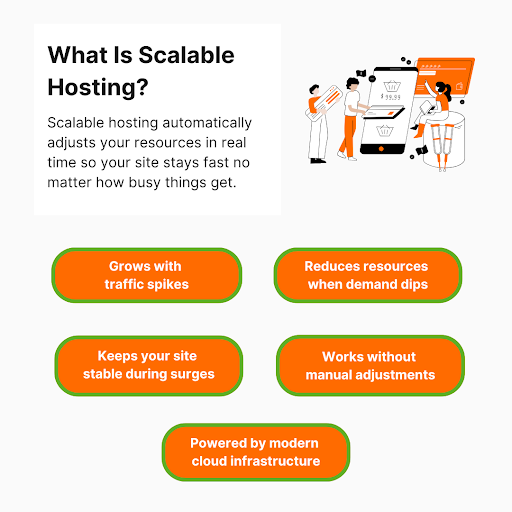
Scalable hosting is a hosting infrastructure that expands or contracts based on how much traffic, storage, or processing power you need. You don’t adjust anything manually. Your resources increase when demand rises and settle back down when things slow.
Unlike traditional hosting, which relies on a single physical server with fixed resources, scalable hosting ensures your website stays fast and available even during sudden traffic spikes, seasonal surges, or unexpected viral moments. Modern cloud hosting offers this flexibility without forcing you to constantly upgrade plans.
4 Natively Scalable Hosting Types
- Scalable Cloud Hosting Service: Spreads your site across multiple virtual servers in the cloud infrastructure and automatically adds resources during traffic surges.
- Serverless Hosting: Allocates resources only when code runs, scaling instantly based on usage.
- Container-Based Hosting: Uses OpenVZ Containers (like Docker) for apps, and each container scales independently as needed.
- Clustered Hosting: Distributes traffic across a cluster of servers, automatically handling higher loads.
Why Scalable Hosting Matters More Than You Think: 5 Proven Benefits
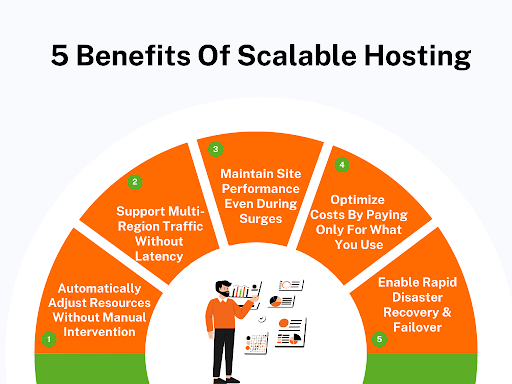
Scalable web hosting does a lot more than just keep your site online. Here are 5 benefits that prove it is way more important than most people realize.
1. Automatically Adjust Resources Without Manual Intervention
One of the biggest issues with traditional hosting is that if traffic grows, you or your IT team have to jump in to adjust server configurations or upgrade plans manually. With scalable hosting, you get effortless server maintenance, and the whole thing stops being your problem. The system automatically allocates more CPU, memory, or storage when traffic surges, then scales down during off-peak times.
2. Support Multi-Region Traffic Without Latency Issues
If half your users are in Europe and half in Asia, one server in New York won’t do the job. Pages will lag, and users will leave. Scalable hosting automatically spreads your online business across multiple regions. Visitors connect to the nearest cloud server, so load times stay lightning-fast. Users get the same experience everywhere. No complaints, no lost sales.
3. Maintain Website Performance Even During Sudden Traffic Surges
Traffic is unpredictable. A big sale or a social media shoutout can crash ordinary servers in minutes. Scalable hosting handles this by distributing requests across multiple servers. Even if ten thousand people hit your online store at once, pages load and carts stay intact.
4. Optimize Hosting Costs By Paying Only For What You Use
Fixed hosting plans make you pay for resources you don’t need most of the time. Scalable hosting adjusts resources dynamically, so you never hit arbitrary usage limits during peak traffic. That means lower costs during quiet times and worry-free hosting performance during busy times. You get enterprise-level reliability without paying an enterprise-level bill.
5. Enable Rapid Disaster Recovery & Failover Across Systems
Servers fail. That is a fact. Traditional hosting means hours of service interruption while your IT team fixes things. Scalable hosting keeps copies of your site and data across multiple servers. If one fails, another takes over instantly.
Your site stays live while everything gets restored automatically. It also makes restoring data after attacks or hardware failures faster and less painful.
7 Scalable Hosting Strategies To Handle Traffic Without Crashing
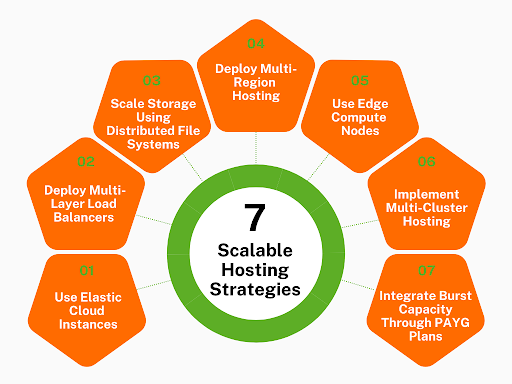
Traffic surges can happen at any time, and your site has to keep up. Here are 7 scalable hosting strategies that keep things running like nothing ever happened.
1. Use Elastic Cloud Instances That Expand Automatically Under Load
If your server has to “ask” you for help when traffic gets heavy, you are already too late. Elastic instances stop that whole drama. The server management becomes easy as it just grabs more power the moment it feels stressed. When your website’s demand decreases, it shrinks again, so you are not paying for high capacity all day.
What to Do:
- Pick the exact CPU number where your app starts feeling slow (not when it begins to exhaust available CPU resources). Use that as the scale trigger.
- Make a separate rule for memory – don’t lump it with CPU because they usually spike for totally different reasons.
- Set a minimum instance count that matches your “regular busy hours” so you don’t start the day underpowered.
- Add a delay before shrinking back down so you don’t bounce between scaling up and down every few minutes.
- Keep a log of scale triggers for a week – it will show patterns you can use to fine-tune everything.
Bonus: Configuring scale triggers and memory rules is complex and not a job for a moderately technical person. So it is best to hire an expert through an agency for this task. Getting professional help ensures your elastic instances work smoothly and prevents costly errors.
2. Distribute Incoming Requests With Multi-Layer Load Balancers
One load balancer isn’t “load balancing.” That is just moving the bottleneck somewhere else. The reason multi-layer balancing works better is simple: people don’t all ask your server for the same thing. Some want static files. Some call your API. Some hit heavy logic.
If you dump everything through one balancer, it slows down for reasons that have nothing to do with actual load – just mixed traffic types fighting for the same exit. A multi-layer setup lets you sort requests before they hit your app, which keeps the heavy things from slowing down the easy stuff.
What to Do:
- Front layer: only decides which region a user belongs to. Nothing else.
- Next layer: splits traffic by type – API traffic shouldn’t hit the same pool as static file requests.
- Make heavy operations (uploads, transactions, analytics) go to their own backend group.
- Set health checks aggressively short so slow nodes drop out before users even feel the slowdown.
- Keep sticky sessions OFF unless the feature absolutely depends on it – they overload one node fast.
3. Scale Storage Using Distributed File Systems
Most eCommerce businesses blame the app when their site slows down. But the real culprit is usually storage. When everyone starts uploading, downloading, or triggering database writes at once, a single storage location becomes the choke point.
Distributed storage resources fix that by spreading files across multiple nodes so no single disk gets overwhelmed. It also saves you during failures – one dead storage node doesn’t take the whole site with it. This lets you optimize your site for better conversions through smooth and reliable performance.
What to Do:
- Separate storage for “reads” and “writes” so big uploads don’t slow down people viewing content.
- Watch your read/write latency and add new nodes the moment the delay starts creeping up.
- Turn on replication so losing a node doesn’t corrupt anything – 3 copies is a safe start.
- Add a caching layer so frequently downloaded files don’t reach the main storage at all.
- Use hashed file paths. This way, files naturally spread across nodes rather than piling into a single hot spot.
You can see distributed storage done right just by looking at how Sewing Parts Online manages its huge library of files. Their catalog isn’t small. They deal with thousands of product images, manuals, part diagrams, zip files, and user-submitted resources that would crush a single storage location if everything lived in one place.
What is impressive is how smoothly everything loads, even when shoppers switch between tiny needle sets and massive PDF repair guides.
In the background, their storage behaves more like a network of organized shelves than a single packed warehouse. Product media that gets heavy daily traffic sits closer to the edge nodes that get hit most often. Less frequently accessed files are stored in deeper nodes until someone requests them, then they are pulled forward without causing delays.
Large technical manuals don’t slow down browsing because they are delivered from a separate, optimized lane that is built for bulky files.
They also avoid one of the biggest pitfalls – burst traffic during big sewing-season events. Their distributed system absorbs that rush by spreading the load across nodes that can pick up work on demand rather than funneling everything into one stressed disk.
It is the kind of setup that keeps conversions steady even when the entire audience decides to download the same guide at the same time.
4. Deploy Multi-Region Hosting To Handle Geo-Specific Traffic Spikes
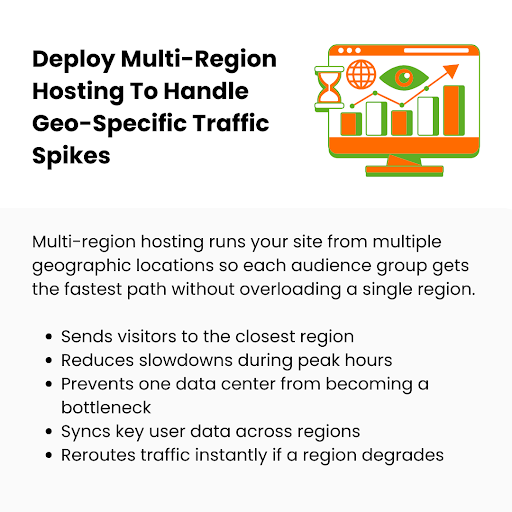
If most of your traffic comes from different countries at different hours, you don’t want all of them flowing to the same data center. A single region becomes a choke point. Multi-region hosting spreads your website across separate geographic locations. This way, each major audience group gets its own lane instead of forcing everyone into one.
What to Do:
- Pick the exact regions where your traffic already comes from rather than assuming and spinning up random locations.
- Set routing to “send each visitor to the closest region immediately” – don’t let the system pick a random one.
- Sync critical data (logins, carts, profiles) aggressively so people don’t see different results in different regions.
- Keep heavy features (checkout, upload endpoints) duplicated in each region instead of letting them travel back to one main location.
- Set a rule that automatically shifts traffic away from a region if it starts slowing down – even before it fails.
A textbook example of geo-aware distribution done with precision is the way CodaPet structures its city-based experience. Rather than routing every pet owner to one central server, each city page behaves like its own regional entry point. That means someone in Phoenix hits a path optimized for Phoenix visitors. Someone in Miami gets a Miami-tuned route.
The clever part is how they localize the “heavier moments.” Actions like checking availability, pulling nearby vets, or loading city-specific info don’t travel to a single national backend. Those requests stay in the visitor’s nearest region, which cuts load time during peak hours when multiple cities spike at once.
Their failover logic is also tightly aligned with local traffic patterns. If a region slows down during a surge – say, Los Angeles has a sudden evening rush – the system quietly shifts only that city’s related traffic to the next best zone instead of dragging the entire website along with it.
5. Use Edge Compute Nodes To Offload Processing From Core Servers
Your core servers shouldn’t be doing every minor job. Most of the traffic they are getting is things that can be handled earlier – closer to the user – before it hits the heavy infrastructure. Edge compute nodes take care of those light tasks so your main servers don’t get choked for no reason. This keeps your core clean and fast.
What to Do:
- Move all “same result every time” tasks to the edge – things like redirects, image tweaks, simple checks.
- Let the edge serve static stuff directly so your main server never even sees those requests.
- Add a basic input validation filter at the edge so faulty or malicious requests die before reaching your app.
- Cache your most-requested files at the edge based on real user traffic, not generic rules.
- Run small edge scripts for predictable tasks so your backend only handles the “unique” or “heavy” calls.
Bonus: Use edge-based analytics to track user interactions in real time before data hits your core servers. This way, you can generate heatmaps or feature usage reports at the edge and reduce load on your main infrastructure while still capturing actionable insights instantly.
6. Implement Multi-Cluster Hosting For Parallel Resource Scaling
A single cluster can only scale so far before it holds the rest of your system back. Multi-cluster hosting splits your infrastructure into separate clusters that can grow independently.
Each cluster gets its own computing resources and focuses on a specific workload – web, API, databases, background jobs. This way, traffic coming into one system doesn’t hog resources meant for another.
What to Do:
- Rather than splitting them randomly, divide clusters by function – API, jobs, sessions, uploads.
- Give each cluster its own autoscaling rules so spikes in one place don’t trigger expansions everywhere.
- Use separate balancers for each cluster so traffic goes to the right place without passing through a busy cluster.
- Watch each cluster’s health separately – don’t cram everything into one dashboard metric.
- Set resource limits per node so one messy process can’t drain the whole cluster.
7. Integrate Burst Capacity Through Pay-As-You-Grow Hosting Plans
Sometimes traffic jumps in ways you can’t predict. A pay-as-you-grow plan gives you more resources instantly without you pre-buying them. The moment your primary capacity is running hot, extra compute and bandwidth activate automatically. And you only pay for those bursts when you actually use them.
What to Do:
- Set a clear trigger – the server should only burst when you know it matters (not at random small bumps).
- Put a time cap on burst mode so a glitch doesn’t keep you in high-usage billing.
- Separate CPU and memory burst rules so you don’t overpay for both when only one is stressed.
- Check burst logs often – they tell you exactly when your system struggled and why.
- Combine bursts with alerts to instantly know when your system enters “extra power mode.” Use an emergency notification app to instantly broadcast notifications to your team so no spike goes unnoticed.
Few sites handle unexpected surges as smoothly as The Dermatology and Laser Group. Their site gets unusual traffic patterns – appointment rushes, treatment-research spikes, sudden waves of visitors after media features.
Rather than committing to oversized monthly plans, they rely on a pay-as-you-grow model that initiates only during those traffic surges. Their backend tracks CPU pressure in real time and opens short burst windows during peak browsing hours so pages stay responsive while people compare treatments or book appointments.
They also created hard safeguards around billing by capping burst duration and logging every activation with clear timestamps. That data helps them spot when a specific service page or resource-heavy gallery caused a spike, so they can fix the root issue instead of relying on bursts forever.
This keeps their site fast during sudden demand without inflating costs – a direct example of burst capacity used with precision rather than assumption.
How To Choose The Best Scalable Hosting Provider: 5 Things To Look For

Let’s run through 5 key things that actually show if a web hosting service provider can keep up when your site grows fast.
1. Check How Quickly Their Infrastructure Scales During Traffic Spikes
You want a cloud hosting provider that reacts fast when the load climbs. Not 5 minutes later. Not once their system “detects a pattern.” You need scaling that starts the moment resource pressure increases.
If the hosting company’s platform waits too long to expand capacity, your pages slow down, and requests pile up. This is the first thing you verify because slow scaling is the one weakness you can’t fix on your side.
What to Check:
- Ask for the exact time their autoscaling engine takes between detecting load and launching new capacity. Not a range. A number.
- Request logs from a previous customer stress event with timestamps of each scale-out action.
- Check whether their scaling engine reads multiple signals – request volume, queue growth, storage I/O – not just CPU.
2. Review Their Uptime History & Real-World Reliability Track Record
You want proof of reliable hosting performance under pressure. Not marketing claims. Actual logs. Their past outages tell you exactly how they behave when things get tough. A reliable hosting provider publishes incidents with clear details. And if they hide information, that is usually because their uptime isn’t as strong as advertised.
What to Check:
- Read through a year of their incident reports and count how many outages involved core infrastructure, not edge components. Compare that with what you see from other hosting providers.
- Look up developer discussions about them, especially comments on repeat stability issues.
- Ask them how they isolate a failing node without dragging down every workload sharing that zone.
3. Evaluate Their Global Data Center Coverage & Network Reach
Don’t look at the map on their homepage. You need the real version – which locations they actually operate and where they use scalable shared hosting. Many cloud providers claim to be “global,” but everything actually runs through two major regions. You want wide physical coverage and strong routing paths between them.
What to Check:
- Ask for a map showing which data centers they own and which ones depend on partner networks.
- Compare latency numbers between regions under real-time load, not marketing charts.
- Confirm whether each region includes its own load balancing, storage layers, and compute pool instead of scalable shared web hosting.
4. Assess The Transparency Of Their Pricing & Scaling Costs
You need prices that don’t turn into surprises once your traffic starts growing. Some hosts make the base cost look cheap, then charge aggressively once your resource usage increases even slightly. You want a hosting solution provider that shows you the entire pricing path before scaling happens.
What to Check:
- Ask for a sample invoice from a hosting account with fluctuating usage to see what charges appear during scaling weeks.
- Review their bandwidth tiers and check whether storage calls or autoscaling triggers carry hidden charges.
- Put your own traffic data into their pricing calculator and compare the estimate with their actual invoice examples. Inconsistent numbers = unreliable pricing.
5. Confirm Their Backup, Snapshot, & Disaster-Recovery Capabilities
Backups and recovery are where most hosts fail. You only discover the truth during a real failure. Look for a host that restores environments without having to create support tickets every time. If anything crashes, you should be able to bring things back online quickly without begging the support team for access.
What to Check:
- Check how many minutes a full environment restore takes, including compute, storage, and database rebuild. Make them give you actual test results.
- Confirm whether snapshots automatically replicate across regions. Manual scripts create huge gaps during emergencies.
- Ask for their RTO (recovery time objective) in plain numbers. If they can’t commit to a time window, they don’t have a real DR system.
Conclusion
The real advantage of scalable hosting is freedom. You don’t have to obsess over every server tweak or panic when traffic doubles overnight. Every strategy here is a way to lean into that freedom. Use them together, and your website starts acting like it was built to handle anything.
At Host Namaste, we believe that freedom is what powers real growth. Our VPS hosting and dedicated‑server solutions are built around flexibility – root access, a choice of OpenVZ or KVM virtualization, and 7 data centers around the world, so your users load fast, no matter where they are coming from.
We back everything with iron‑strong hardware (Intel Xeon Silver/Gold and AMD, RAID redundancy), a guaranteed 99.9% uptime SLA, and instant setup. And if you are migrating from somewhere else, our white‑glove migration support means everything is hassle-free. Get in touch with us, and we will make it happen.